PoolMonitor brings your mining pools together on your iPhone: hashrate, workers, balances, payouts and found blocks. It's strictly read-only, so it can watch your earnings but can never touch them.
Read-only: can't move fundsKeys in your KeychainFace ID lockData Not Collected
8 poolsSolo and pool mining, one app
Read-onlyno wallet, no withdrawals
$0.99One-time purchase
0 bytesof your data collected
Screenshots
See PoolMonitor in action
Tap any screenshot to enlarge.
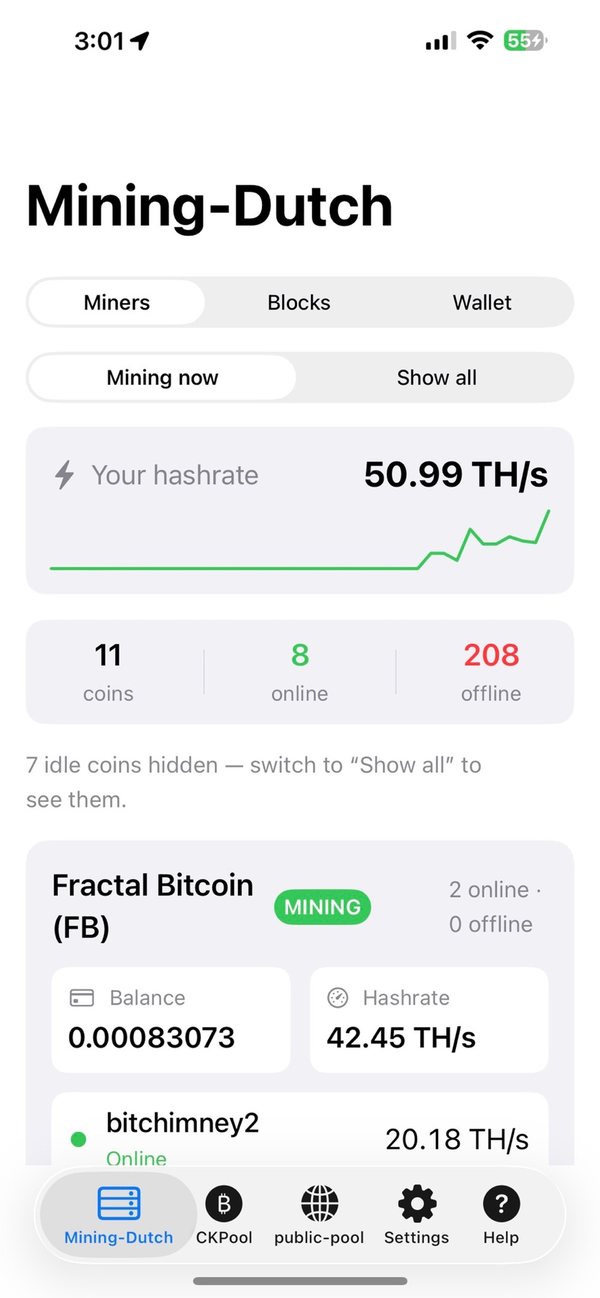
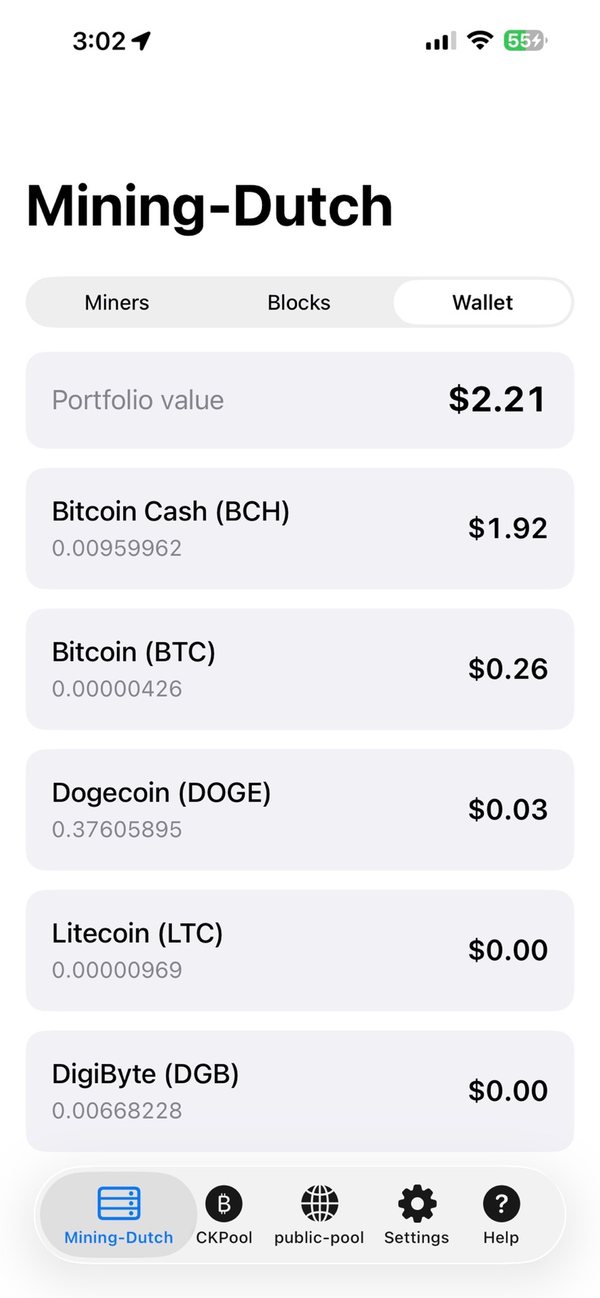
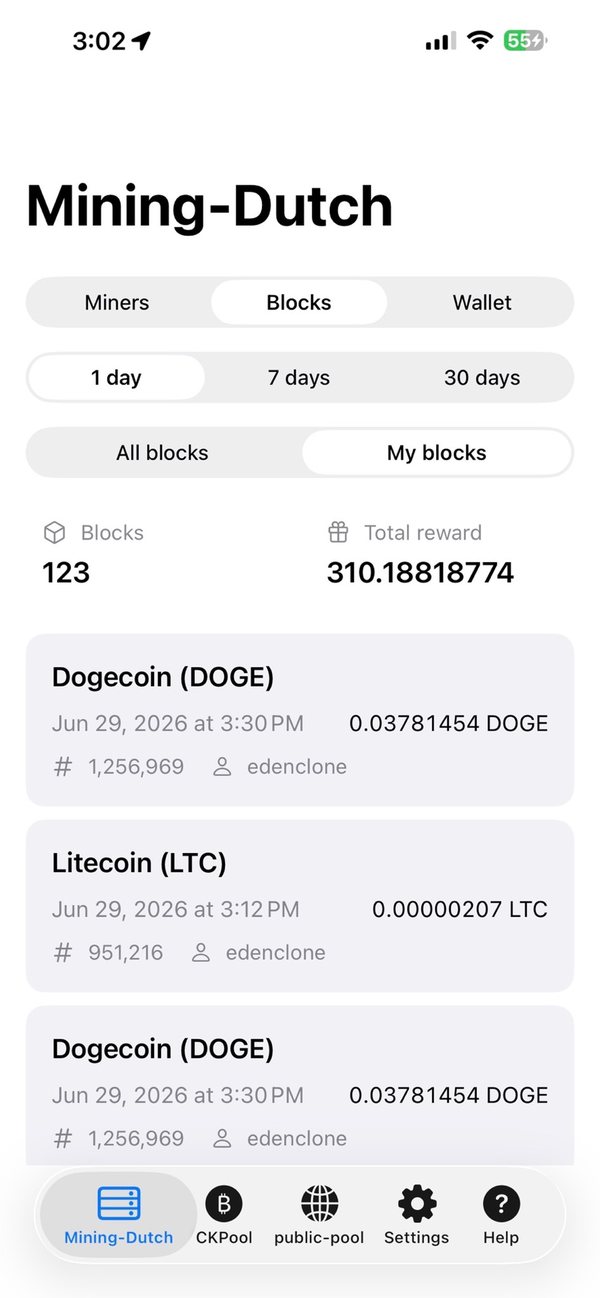
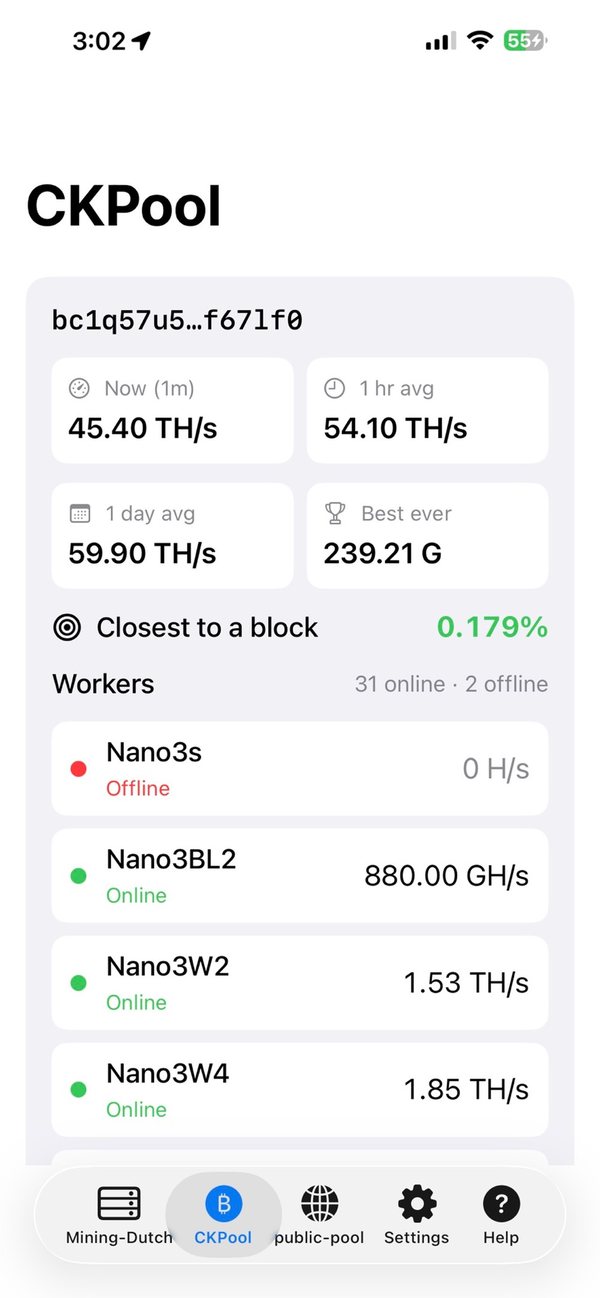
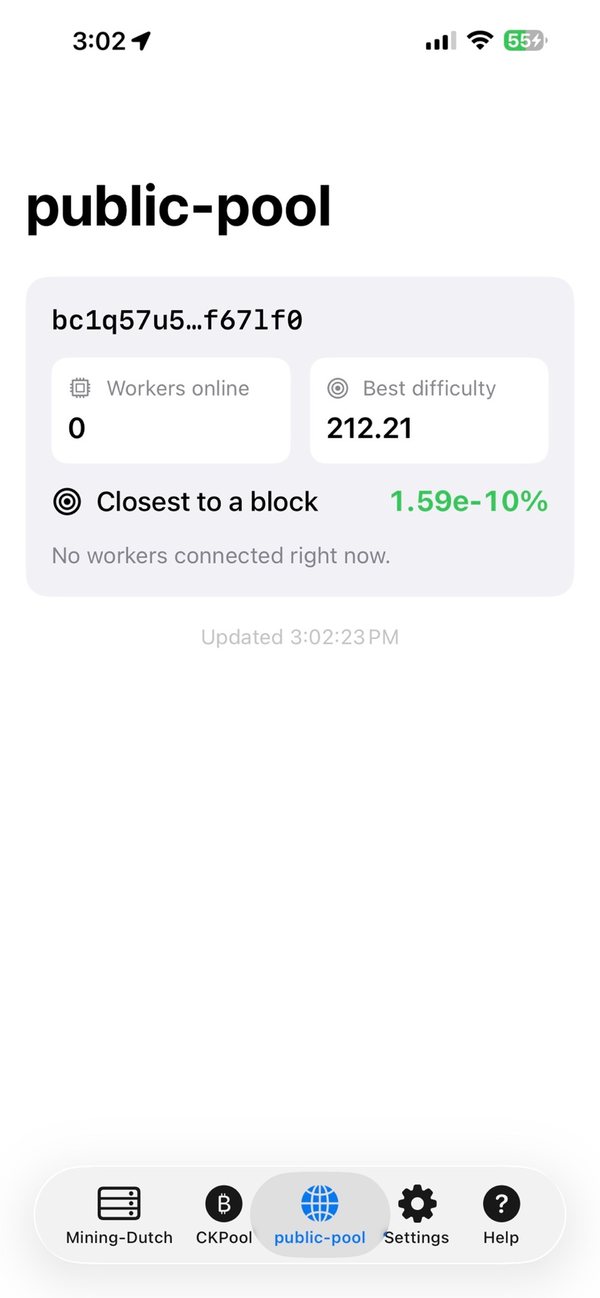
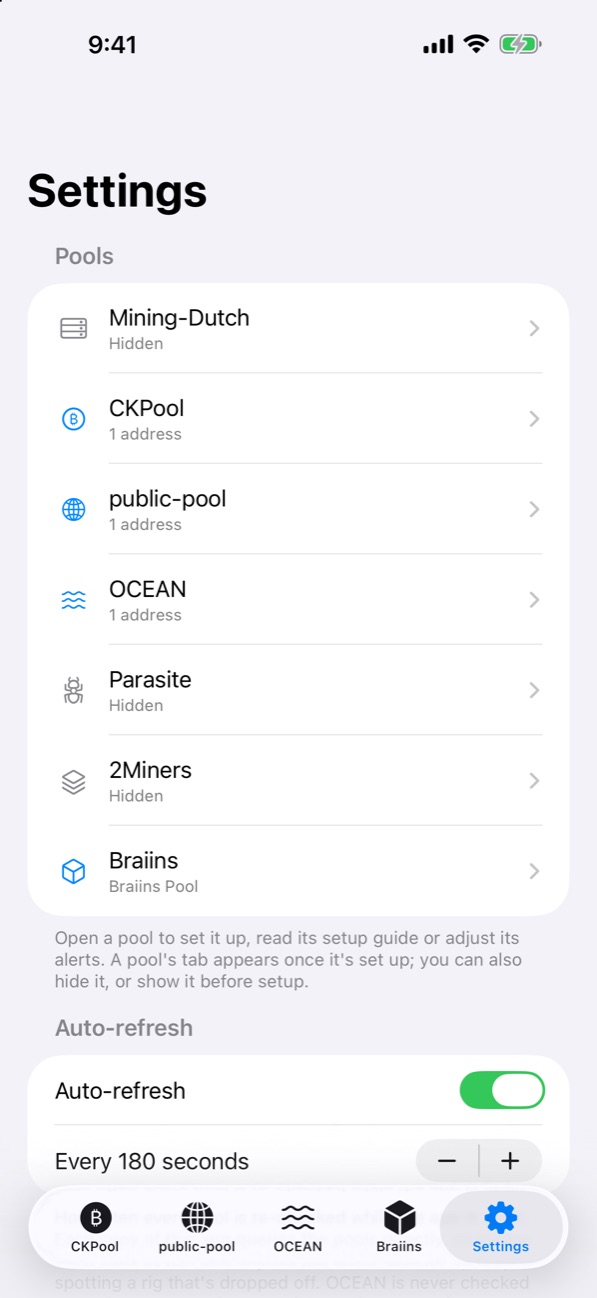
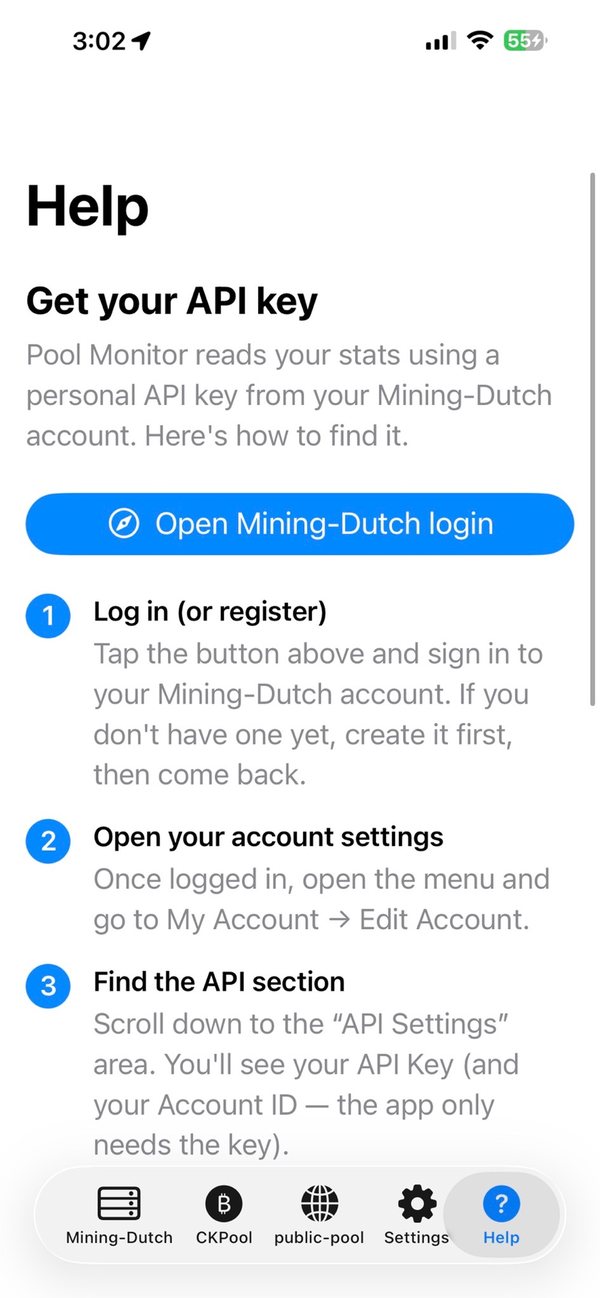
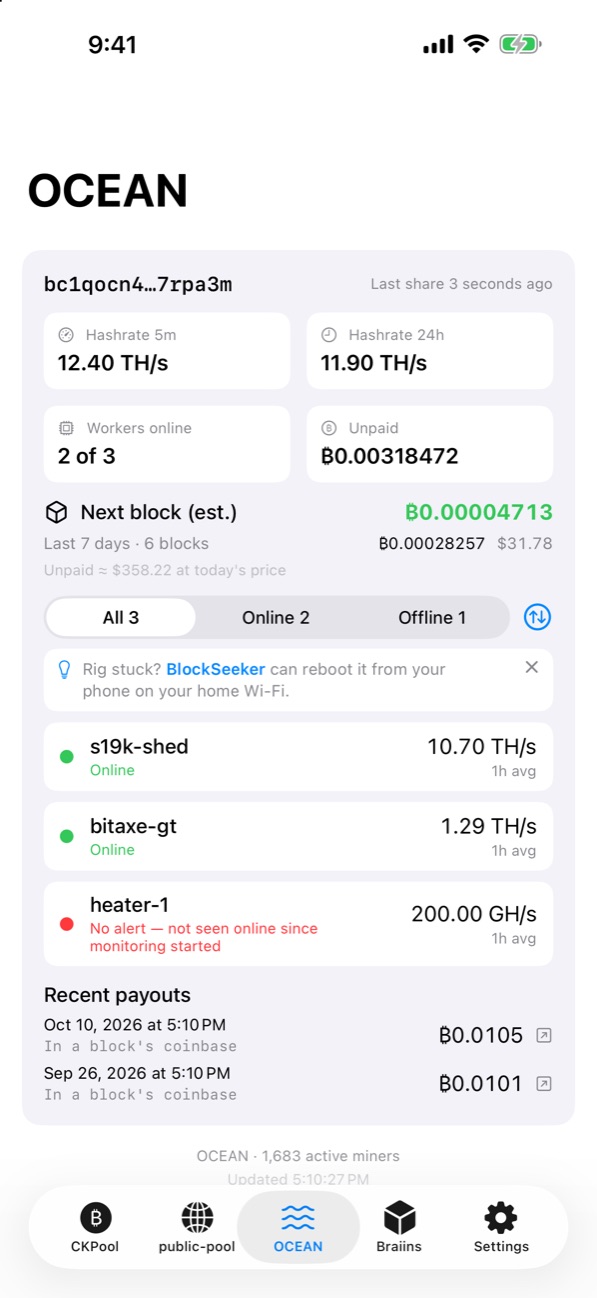
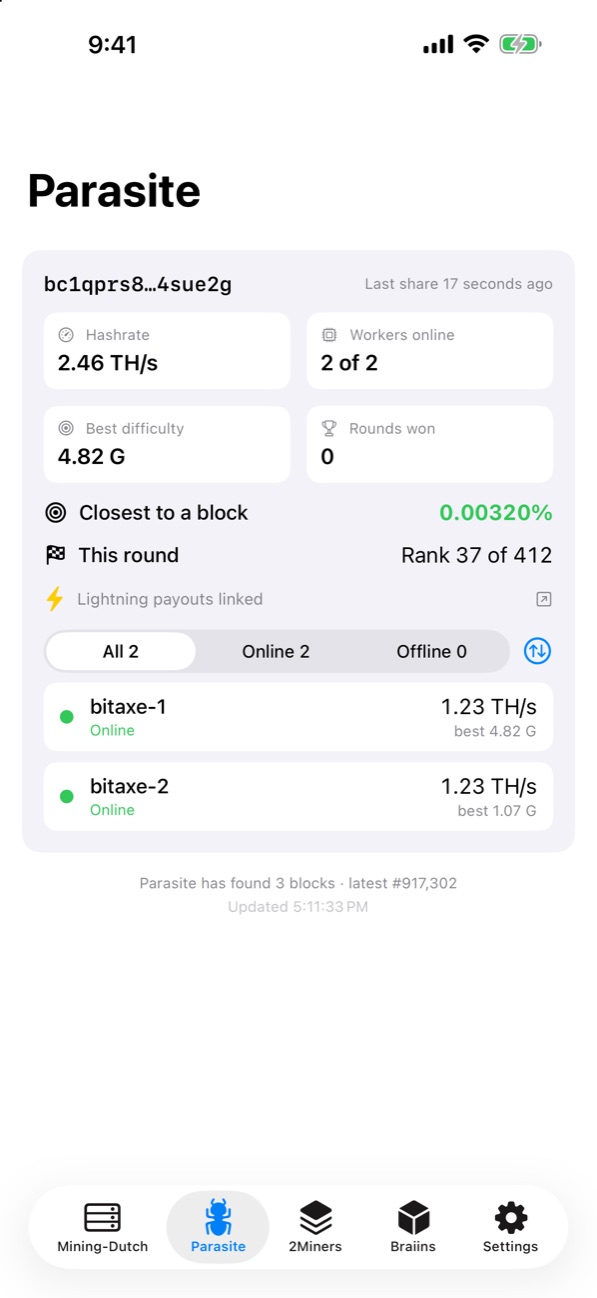
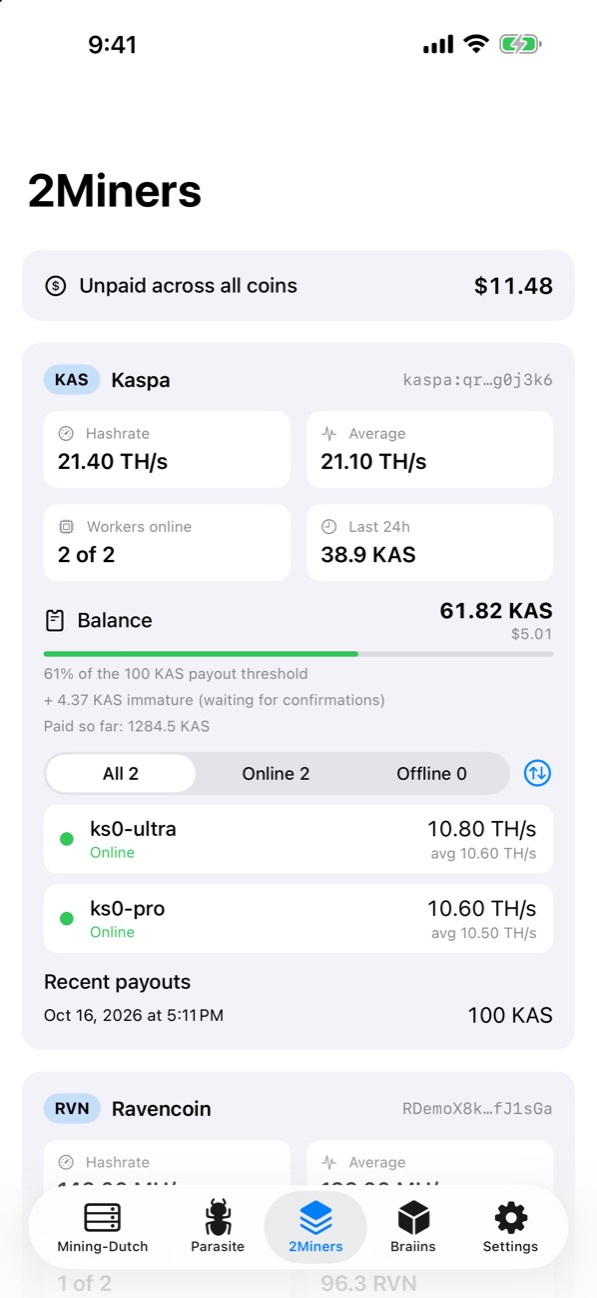
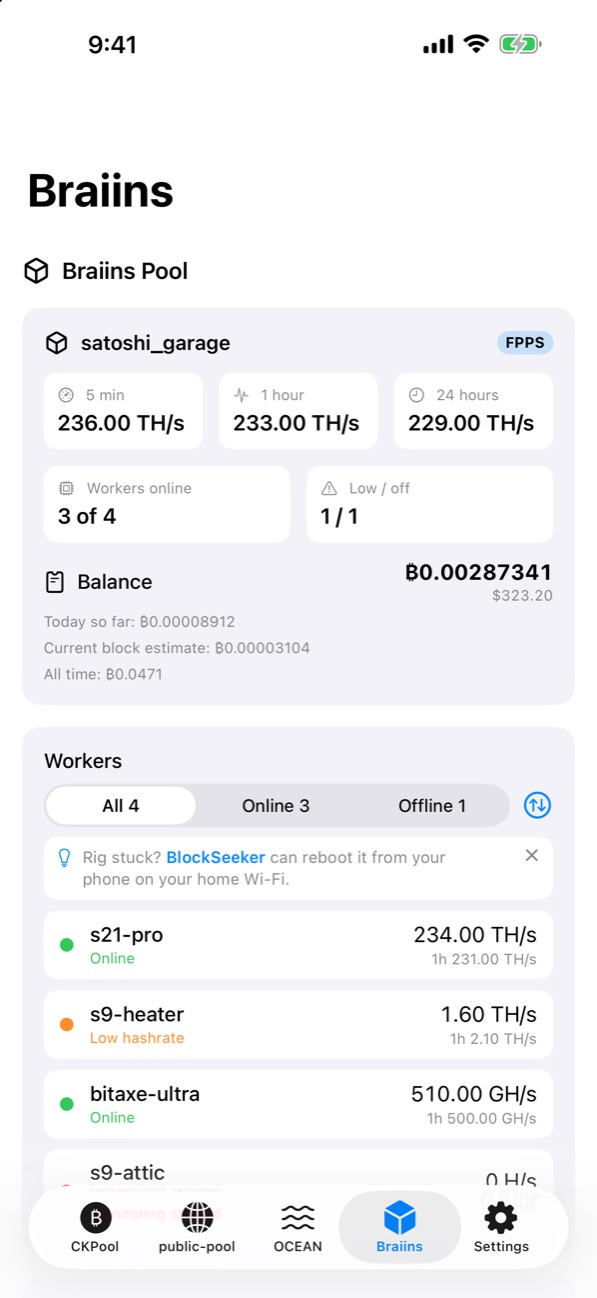
Mining-Dutch: your hashrate trend, coins mining now and every worker's statusWallet: balance per coin and total portfolio valueBlocks: blocks found and rewards over 1, 7 or 30 daysCKPool solo: hashrate averages, best share, closest-to-a-block and every workerpublic-pool: workers, best difficulty and closest to a blockSettings: every pool in one list, each with its own setup guide and alertsBuilt-in guides walk you through getting a read-only API keyOCEAN: hashrate, unpaid balance, next-block estimate and on-chain payoutsParasite: round rank, best difficulty and closest to a block2Miners: balance and payout progress for every coin and walletBraiins Pool: hashrate, balance, rewards and low-hashrate warnings
How it works
Add a pool in seconds
Paste a payout address or a read-only API key, depending on the pool. That's it. No PoolMonitor account, ever.
Add your address or key
Solo pools only need your BTC address. Account pools use a read-only API key, which is stored in the iOS Keychain.
Follow the setup guide
Every pool has its own step-by-step guide, and its tab appears only once it's set up. Mining-Dutch auto-detects the coins you mine.
Get alerted
Offline workers, back-online notices, payouts and found blocks, with quiet hours so it never wakes you.
Features
Built for solo miners and pool miners alike
From chasing a solo block on CKPool to tracking DOGE payouts on Mining-Dutch or OCEAN earnings, every pool gets its own tab, settings page and setup guide.
Live pool stats
Hashrate, worker status and balances, refreshed automatically.
New "By worker" view with each rig's coin and hashrate
Filter workers: all, online or offline
Multiple BTC addresses per solo pool
Closest to a block
Tracks your best share against the network, and celebrates when a block is found.
Found-blocks history
Payout notifications
Smart alerts
Global alert rules with per-pool switches, and a live status for each alert.
Offline with grace period and quiet hours
Silence individual rigs
Countdown / sent / silenced status
Earnings & wallet
Earnings for today, yesterday, 7 or 30 days in $ and BTC, with a per-coin breakdown and history kept on your phone.
Tap any day to see its earnings
Portfolio value in $ and BTC
Solo-pool extras
OCEAN earnings and on-chain payouts, Parasite round standing, and closest-to-a-block for every solo pool.
Self-hosted public-pool
Point PoolMonitor at your own public-pool server on Umbrel or Start9, with a built-in connection test.
Face ID / Touch ID lock
Optional biometric lock keeps balances private if someone picks up your phone.
Home Screen widget
Your hashrate and status at a glance.
iCloud settings sync
Settings follow you through your own iCloud; keys stay in your Keychain.
Supported pools
The pools solo miners actually use
Chosen because they have large or loyal miner bases and no dedicated iPhone app of their own.
Solo poolsBTC address
CKPool (solo.ckpool.org)
public-pool (hosted)
public-pool on your own Umbrel or Start9
Braiins Solo
Parasite
Account poolsRead-only key / token
Mining-Dutch (API key, multi-coin)
Braiins Pool (read-only token)
Large poolsAddress only
OCEAN (earnings & on-chain payouts)
2Miners (multi-coin GPU & ASIC)
Pool names are used only to describe compatibility. PoolMonitor is independent and not affiliated with any pool operator.
Safety · Security · Privacy
Watch your earnings. Never touch them.
PoolMonitor is read-only by design. It has no wallet, no withdrawal function and no payout settings. Even a leaked read-only key can't move funds.
Your key or address is only ever sent to the pool it belongs to, to fetch your stats.
0data types collected
0ways to move funds
0accounts required
Read-only by designNo wallet, trading, withdrawal or payout-change features exist in the app. It can't move money.
Keys in the iOS KeychainAPI keys are stored in Apple's encrypted Keychain, never in plain files and never on a server.
No PoolMonitor serverRequests go straight from your iPhone to the pool's own API over HTTPS. There's nothing in between.
Biometric lockOptional Face ID / Touch ID protects balances and keys on a shared device.
No account, no analyticsNo sign-up, no tracking SDKs, no ads.
Least-privilege keysEach pool's setup guide explains how to create a read-only key, so the app never needs full account access.
Full details: Privacy Policy. App Store privacy label: “Data Not Collected.”
Roadmap
2.0 is live. Next stop: the Mac
PoolMonitor launched with a single pool. Version 2.0 covers 8 pools, the ones solo and home miners actually use.
Shipped
Mining-Dutch, CKPool, public-pool1.x
OCEAN, Parasite, 2Miners2.0
Braiins Pool & Braiins Solo2.0
Earnings history & By-worker view2.0
Per-pool settings & setup guides2.0
In progress
Polish from 2.0 feedbackFixes and small improvements
Planned
PoolMonitor for MacNext major release
Exploring
KryptexEvaluating
More large-base poolsDriven by user requests
Roadmap items are plans, not promises; timing depends on App Store review and firmware changes by hardware makers. Have a request? Email TechBitsMix@gmail.com.
For investors & acquirers
The neutral dashboard no pool offers
Most pools only offer a web dashboard, and miners split across several pools have no single view. PoolMonitor is pool-neutral, read-only and server-free, which makes it easy for miners and pool operators alike to trust.
Check that you used the read-only API key from your pool account, not a password or wallet address, and that no trailing space was pasted. Then try Auto-detect: your account may have no active workers on the coins being checked.
A worker shows offline but it's running.
PoolMonitor shows what the pool reports. A worker that just restarted or submits shares rarely can read as offline for a few minutes. If it persists, compare with the pool's own dashboard and email me if they disagree.
I'm not getting offline notifications.
Check notification permissions in iOS Settings. Background checks are scheduled by iOS, so timing depends on battery, Low Power Mode and how often you open the app. Opening the app refreshes immediately.
Can PoolMonitor move or withdraw my funds?
No. The app is read-only. It has no wallet, withdrawal or payout function, and a read-only key can't move funds.
Where is my API key stored?
In the iOS Keychain on your device. It's sent only to the pool's own API to fetch your stats. There's no PoolMonitor server, account or analytics. See the Privacy Policy.
Can you add my pool?
Email me the pool name. New pools are prioritised by how many miners use them.