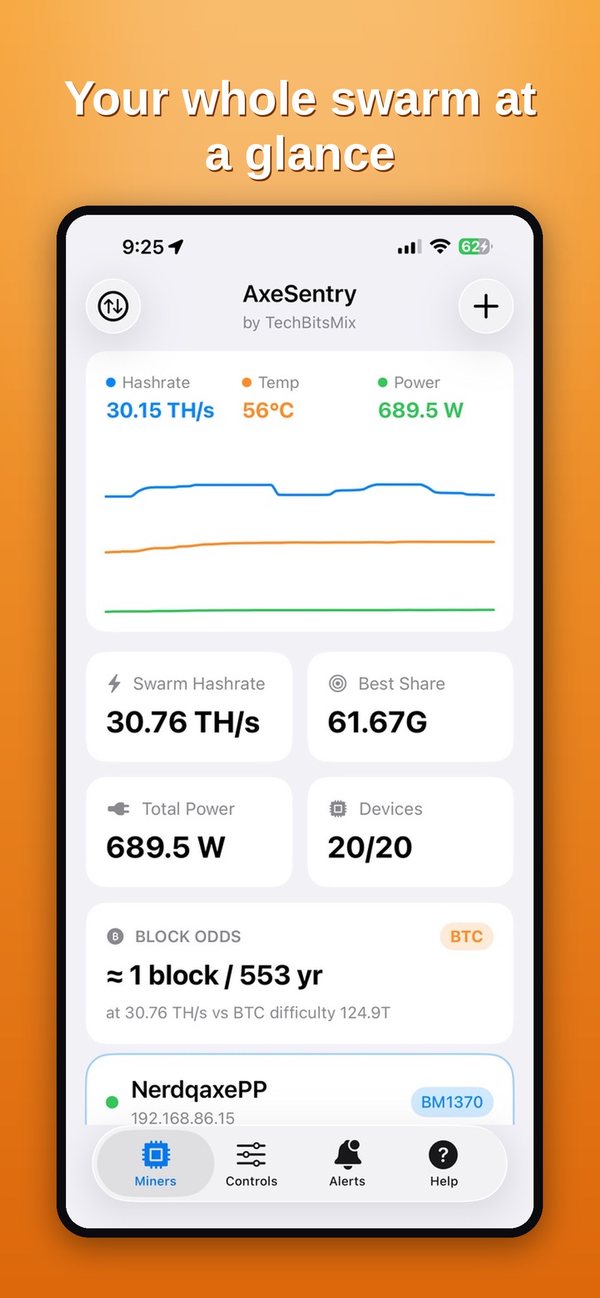
BlockSeeker watches and controls your home miners so you don't have to: open-source solo miners, compact home ASICs and full-size rack units, all from one iPhone app that never leaves your network.
SHA-256 · Scrypt · EquihashNo accountNo cloudData Not Collected
$1.99One-time purchase, no subscription
3 algorithmsSHA-256, Scrypt, Equihash
10+ device familiesESP32 solo miners to rack ASICs
0 bytesof your data collected
Screenshots
See BlockSeeker in action
Tap any screenshot to enlarge.
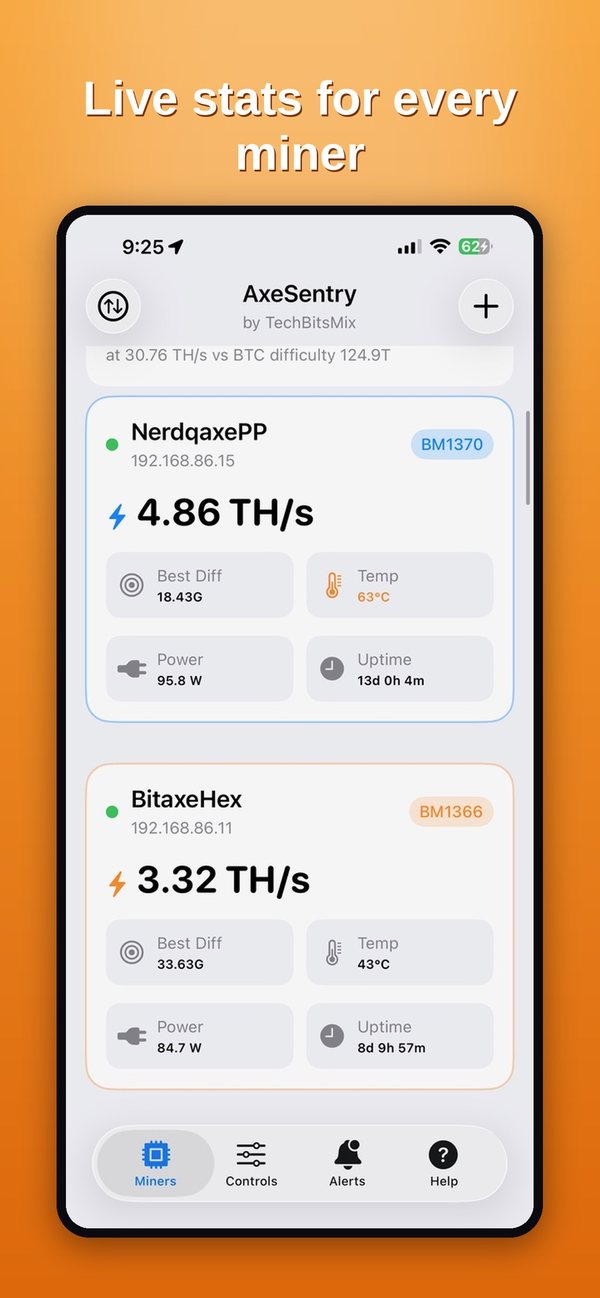
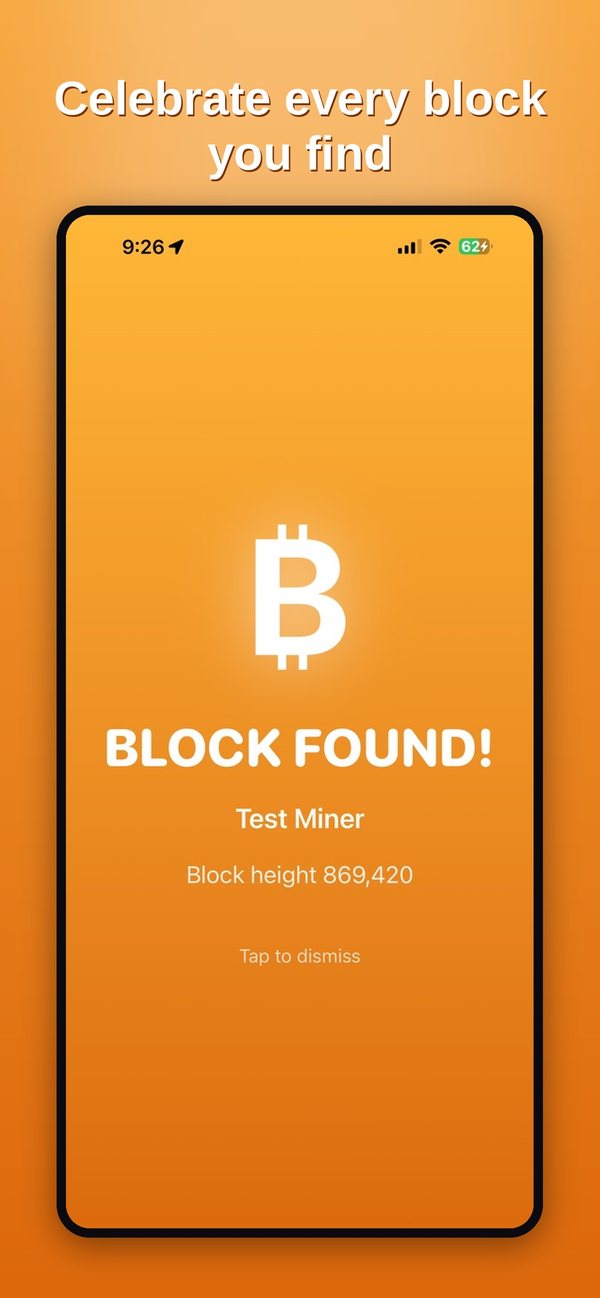
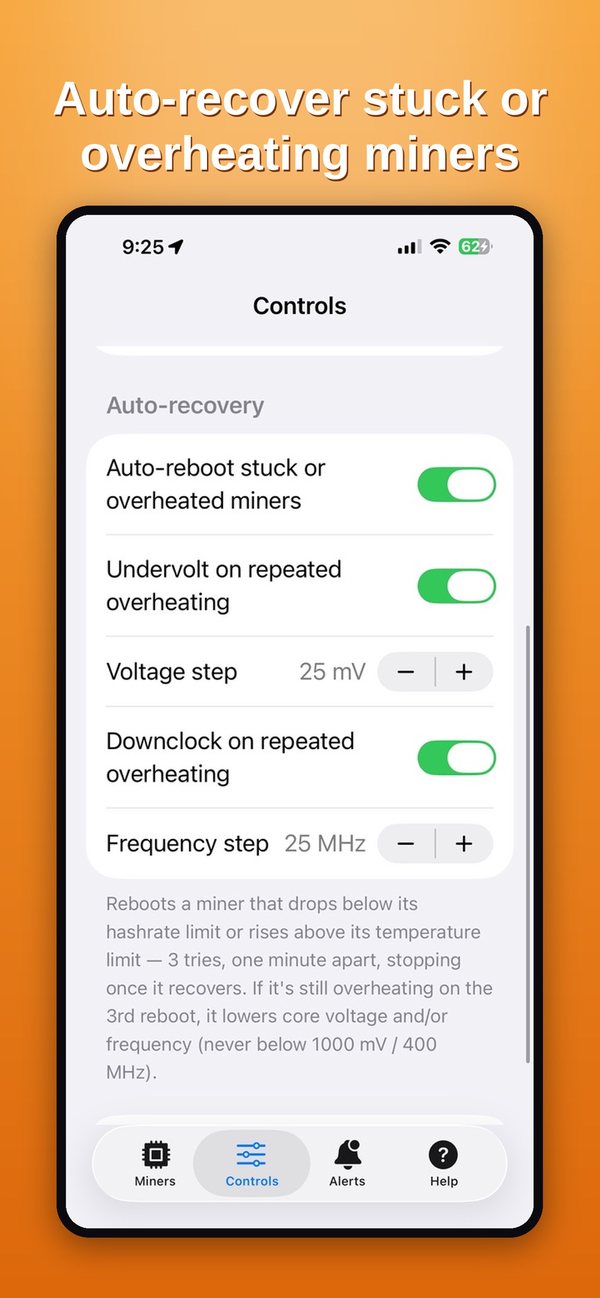
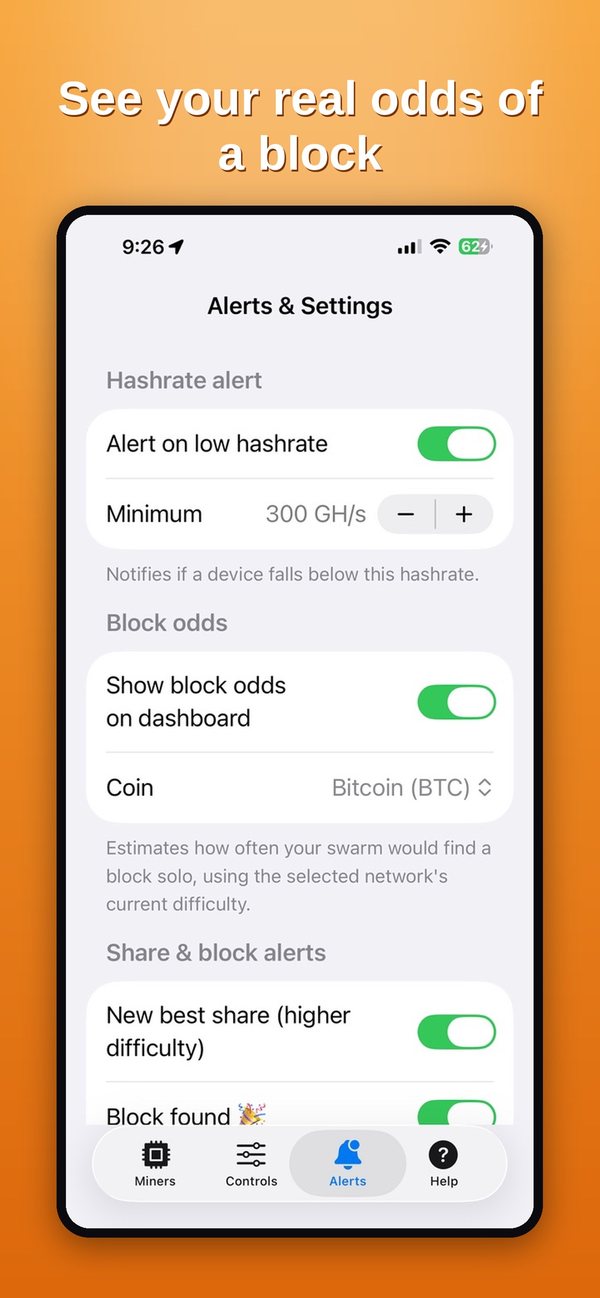
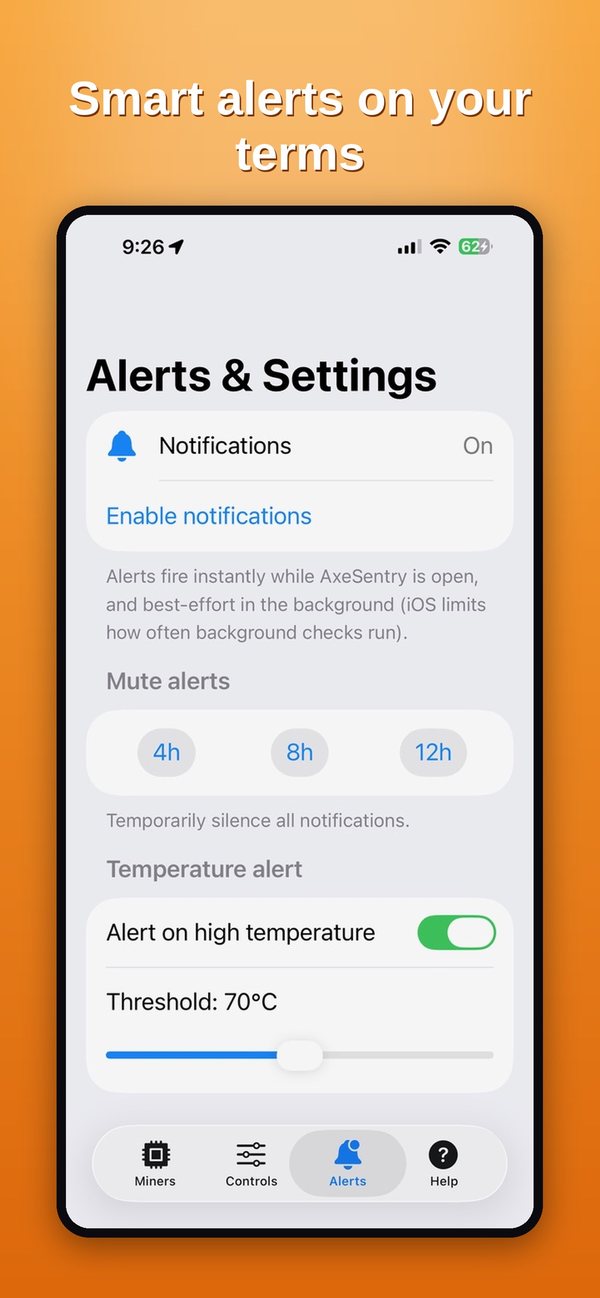
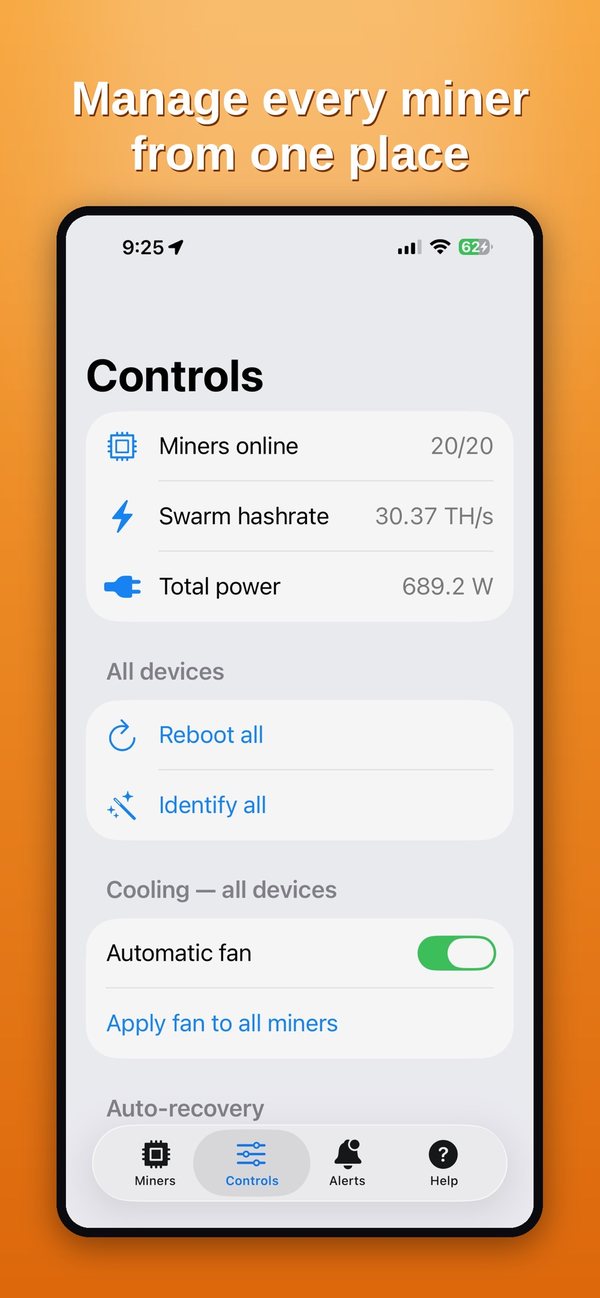
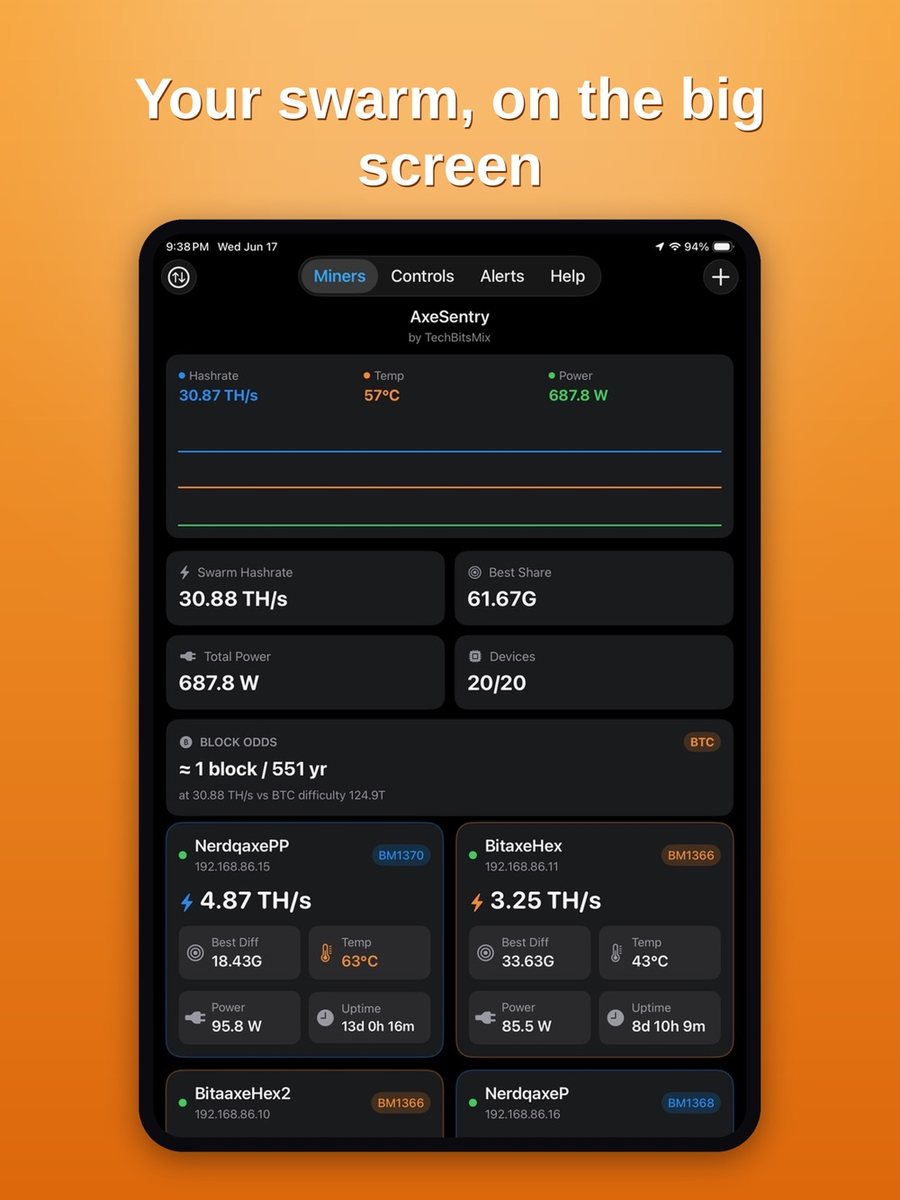
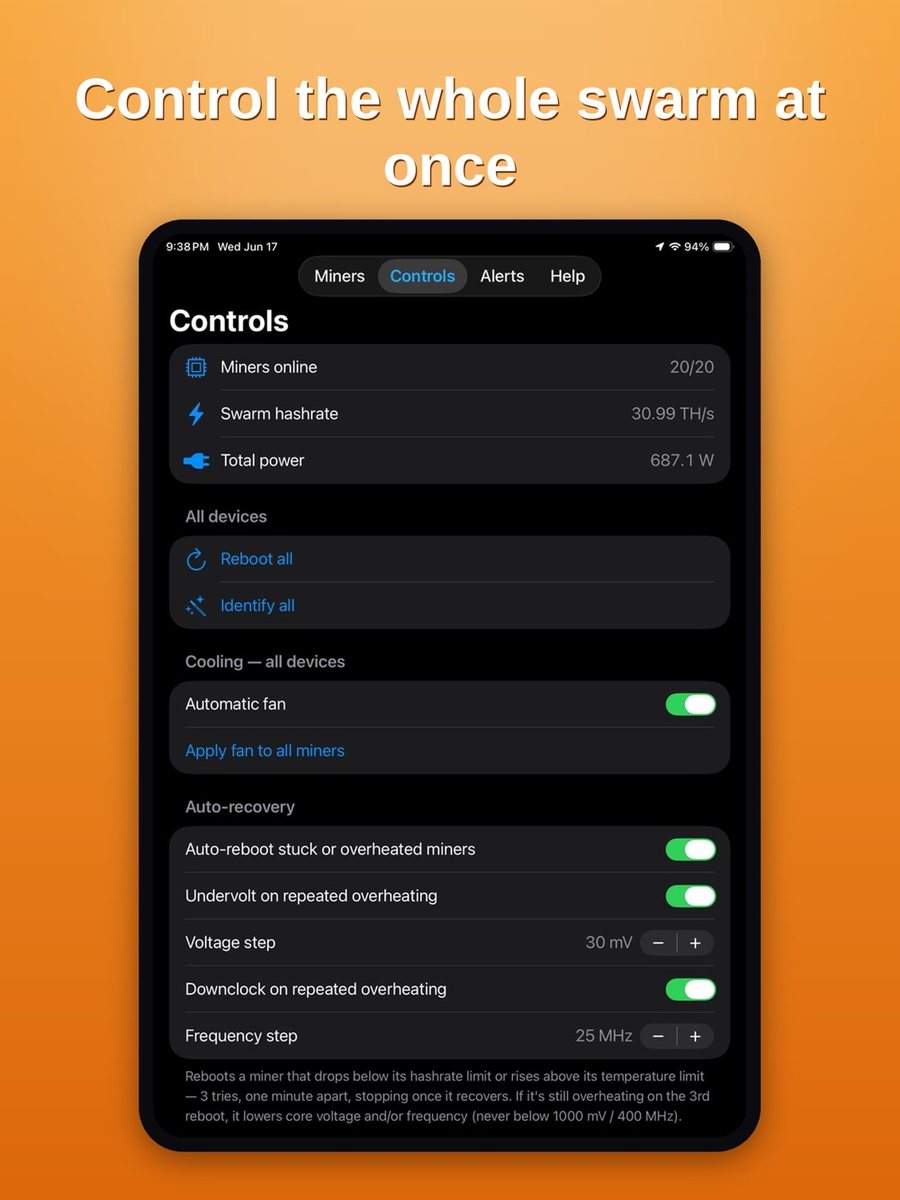
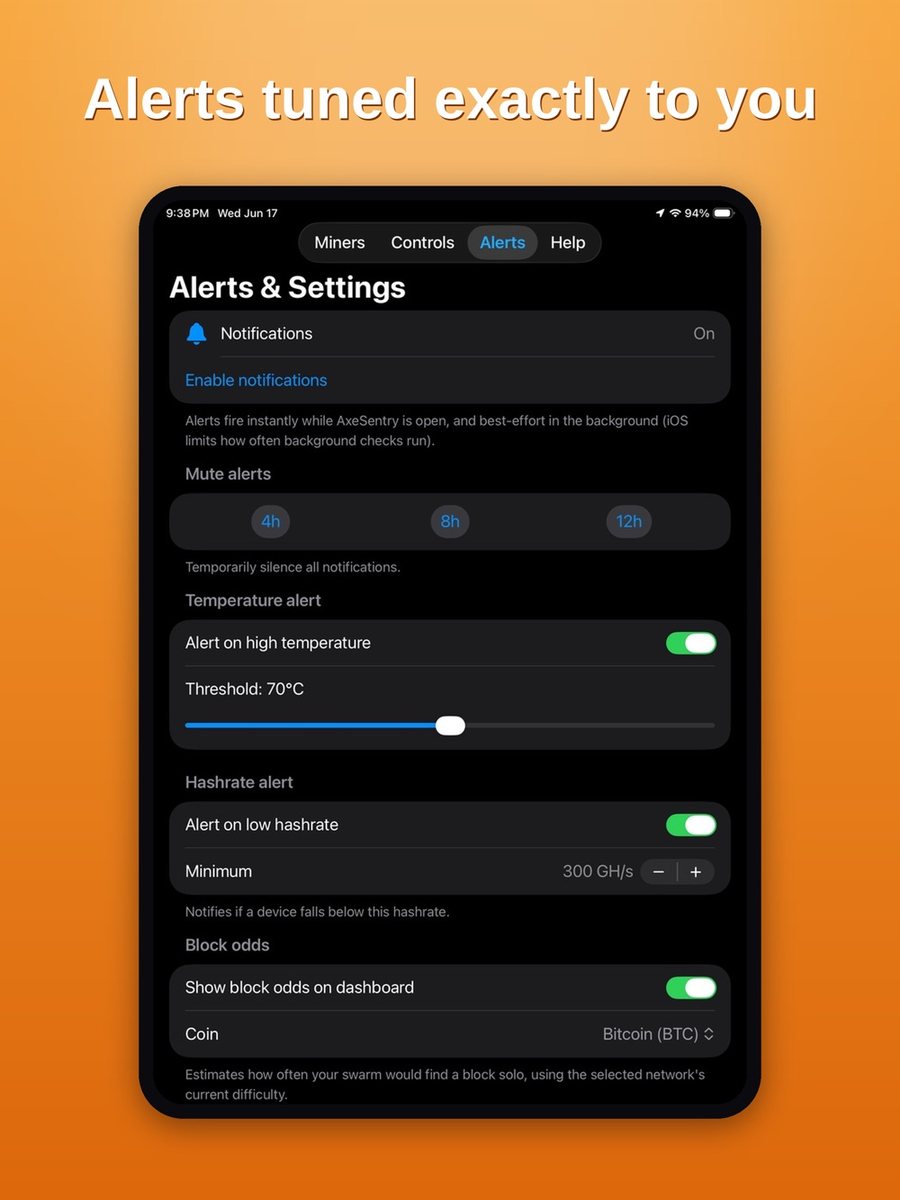
Your whole fleet at a glanceLive stats for every minerCelebrate every block you findAuto-recover stuck or overheating minersSee your real odds of a blockSmart alerts on your termsManage every miner from one placeiPad: your fleet on the big screeniPad: control the whole fleet at onceiPad: alerts tuned exactly to you
How it works
Set up in under a minute
No accounts, no API keys, no port forwarding. If your iPhone and miners share a Wi-Fi network, you're ready.
Scan your network
BlockSeeker finds compatible miners on your Wi-Fi automatically, or add any miner by IP address.
It groups them for you
Miners are sorted by type and algorithm, each with the right units: TH/s, GH/s or kSol/s.
Watch, get alerts, act
Live stats, alerts when something goes wrong, and one-tap fixes for one miner or a whole group.
Features
Everything a home miner checks, in one place
Built for people running a few miners in a garage, office or spare room: the fleet nobody else builds software for.
Live fleet dashboard
Hashrate, temperature, power, best share and uptime per miner, with fleet totals.
Health timeline per miner
Estimated daily electricity cost (USD)
Sorting and grouping by type
Smart alerts
Know the moment something needs attention, with fewer false alarms.
High temperature and low hashrate
Miner offline / back online
New best share and block found
Auto-recovery
Optional automatic reboots for miners that misbehave. Off by default.
Scheduled reboots (every N hours or set time)
Reboot when hashrate stays low
Undervolt / downclock on supported devices
Solo block odds
Live odds of finding a block for SHA-256, Scrypt and Equihash solo miners, each switchable.
BTC or BCH network difficulty
LTC/DOGE and Zcash where you run them
Estimated daily payouts for pool miners
Remote control
Act on one miner or a whole group without opening a web UI.
Switch pools (Primary ⇄ Fallback)
Work mode, frequency, voltage, fan
Reboot and identify (blink LED)
Pool & wallet view
See which pool and payout address each miner is using at a glance.
Widget & Live Activity
Home Screen widget plus a Lock Screen and Dynamic Island Live Activity for your fleet.
Private iCloud sync
Your miner list follows you between iPhone and iPad through your own iCloud.
Background monitoring
Best-effort checks while the app is closed, within iOS background limits.
Supported miners
Works with the miners people actually own
Over the local network, using each device's own API. More devices are added based on user requests.
Open-source solo minersAxeOS API
Bitaxe (all models)
NerdAxe & NerdQAxe
NMAxe
Compact home ASICsCGMiner API
Canaan Avalon Nano 3 & 3S
Goldshell Mini-DOGE (Scrypt)
Full-size ASICsSHA-256 · Scrypt · Equihash
Bitmain Antminer, stock firmware
Vnish firmware
Braiins OS
LuxOS
Incl. L7 (Scrypt) & Z-series (Equihash)
Brand names are used only to describe compatibility. BlockSeeker is independent and not affiliated with or endorsed by any hardware or firmware maker.
Safety · Security · Privacy
Your miners never talk to us. Because there is no “us” to talk to.
Most mining dashboards route your data through a cloud account. BlockSeeker is built the other way around: everything happens between your iPhone and your miners.
BlockSeeker connects to miners on your local network only. It has no developer server to send data to.
0data types collected
0third-party SDKs
0accounts required
Local network onlyThe app talks straight to your miners on your own Wi-Fi using their built-in local APIs. Nothing is relayed through the internet.
No servers, no backendTechBitsMix runs no servers for this app. There is no backend to breach, go offline, or shut down.
No account, no sign-upNo email, no login, no password. Open the app and scan.
No tracking or analyticsNo analytics SDKs, no ad networks, no third-party trackers. Your fleet size and hashrate are your business.
Your own iCloud, optionalYour miner list can sync between your devices through your private iCloud account. The developer never sees it.
Safe-by-default controlsAuto-recovery is off until you turn it on and reboot attempts are capped. Every control uses the miner's own official API.
Full details: Privacy Policy. App Store privacy label: “Data Not Collected.”
Roadmap
Where BlockSeeker is going
BlockSeeker is the flagship of the TechBitsMix miner apps. Features built for any of the three miner apps are tracked and ported across all of them.
Shipped
Fleet dashboard & alerts1.0 launch
Health timeline1.1
Home ASIC group (compact Scrypt)1.1
Pool & wallet screen1.1
Scheduled auto-reboots1.1
In progress
Bitaxe firmware 2.15+ pool switching fixNext patch
Group Primary ⇄ Fallback pool switchForced on all miners, re-checked after 5 min
Low-hashrate rebootAfter 5+ minutes under threshold
Planned
More device familiesDriven by user requests
Block-found alerts for pool minersOptional; solo-only by default
Exploring
Deeper history & exportLonger-term charts and CSV export
Cross-app parity with Miner Watcher (Mac)Shared feature set
Roadmap items are plans, not promises; timing depends on App Store review and firmware changes by hardware makers. Have a request? Email TechBitsMix@gmail.com.
For investors & acquirers
A niche nobody else serves well
Home mining has grown past the hobby stage, from open-source Bitaxe solo miners to compact ASICs sold as space heaters. Those owners have no good mobile tool that works across brands without a cloud account. BlockSeeker fills that gap.
Make sure your iPhone or iPad is on the same Wi-Fi network as your miners and allow local-network access when iOS asks. Then tap Scan, or add a miner by its IP address.
Which devices are supported?
Bitaxe, NerdAxe, NerdQAxe and NMAxe (AxeOS); Avalon Nano 3 and 3S; Goldshell Mini-DOGE; and Antminer units on stock, Vnish, Braiins OS or LuxOS firmware.
Do alerts work when the app is closed?
Yes, on a best-effort basis. iOS decides how often background checks run, so alerts can be delayed. Keep Notifications and Background App Refresh on for BlockSeeker.
Can BlockSeeker break my miner?
Every control uses the miner's own official settings API, the same one its web interface uses. Auto-recovery is off by default and reboot attempts are capped.
Does BlockSeeker collect my data?
No. It works entirely on your local network with no account and no tracking. See the Privacy Policy.